Printable operating manual
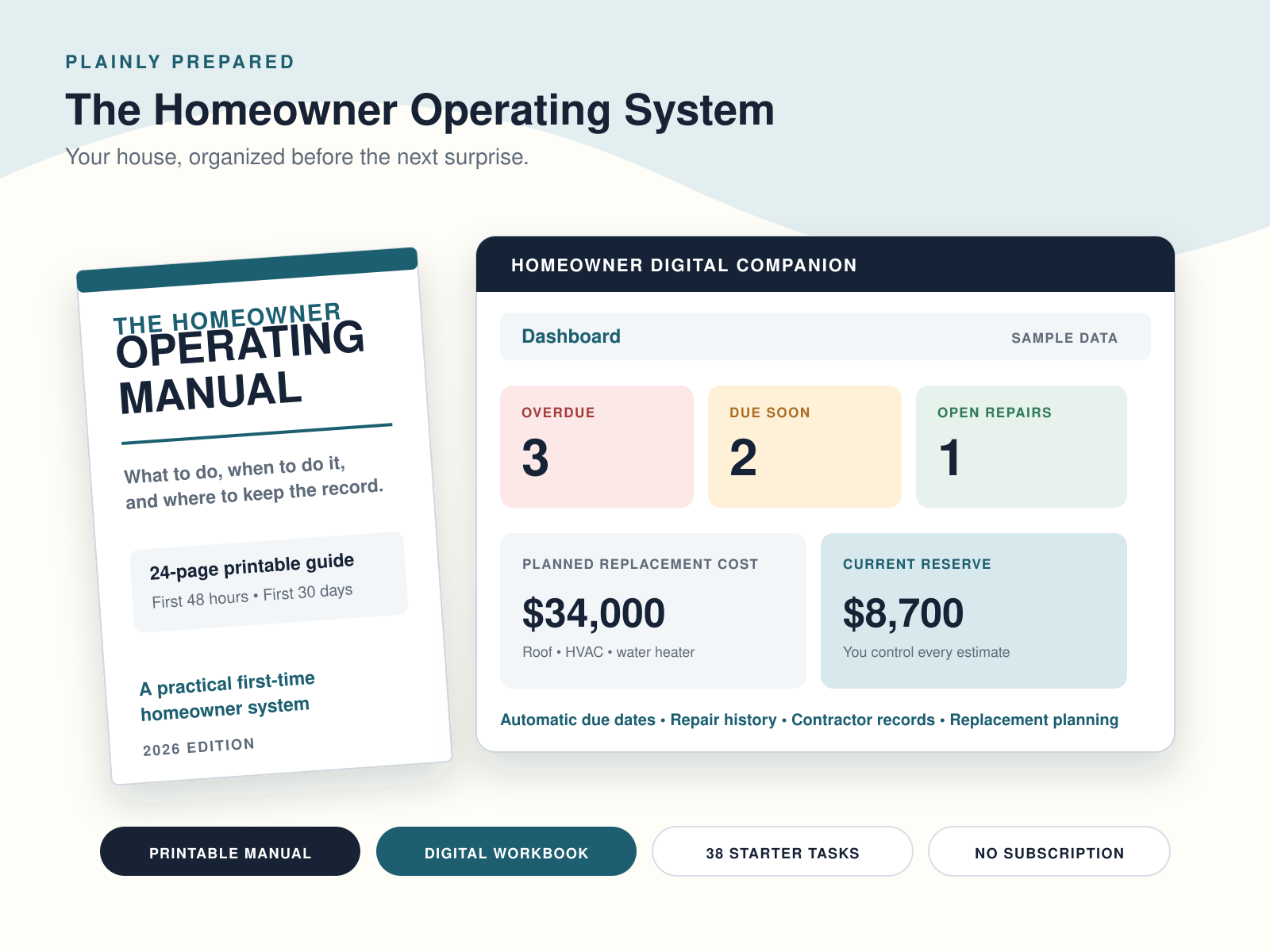
24 pages covering the first 48 hours, first 30 days, system passports, seasonal reviews, repair history, documents and reserve planning.
THE OWNER’S MANUAL YOUR HOUSE DIDN’T COME WITH
Homeowner Operating System — A homeowner binder and maintenance tracker for repairs, home systems, contractors, records and recurring responsibilities.
Know what your home has, what needs attention, what is due, what has already been repaired, and what expensive systems may need money later.
Updated for 2026: Faster setup and action views, same $24.99 one-time price. No subscription.
24-page printable manual + expanded digital operating workbook.
YOU BOUGHT THE HOUSE. NOW YOU HAVE TO OPERATE IT.
You get keys, closing documents, an inspection report and a mortgage payment. Then you are expected to remember filters, alarms, drainage, warranties, repair history, contractor names, system ages and the roof that will eventually need replacing.
This turns those scattered responsibilities into one system.
SEE THE ACTUAL SYSTEM
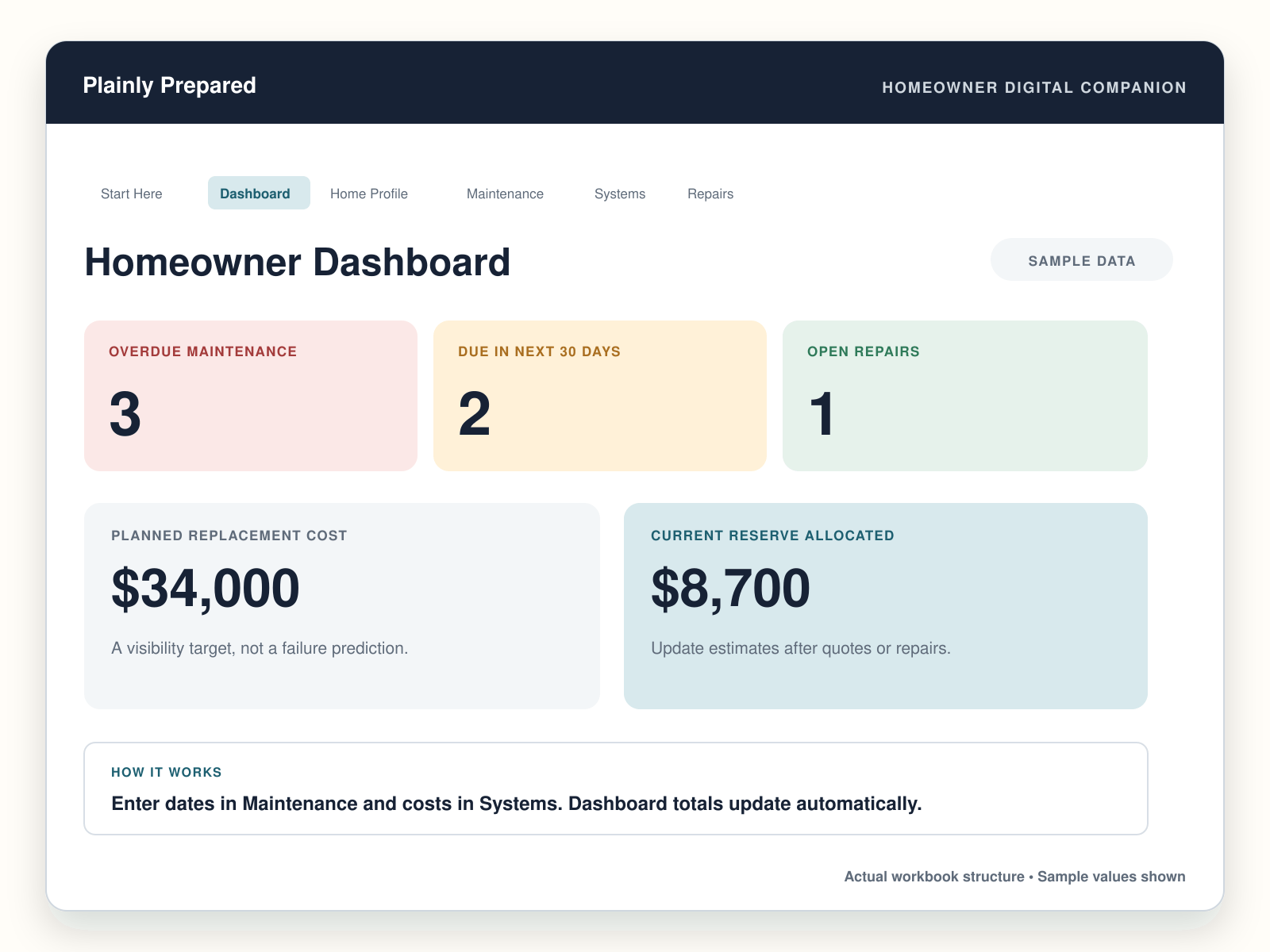
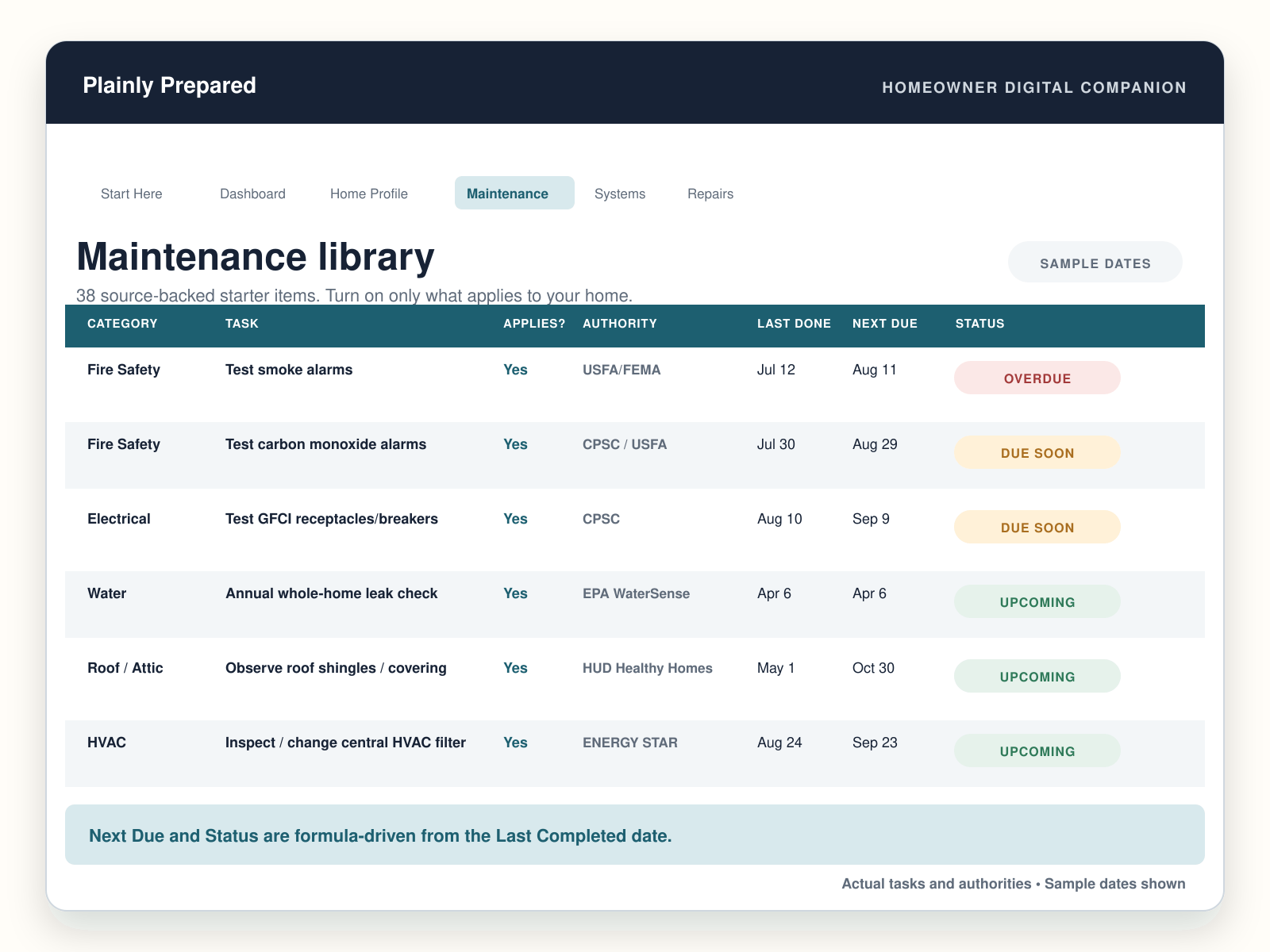
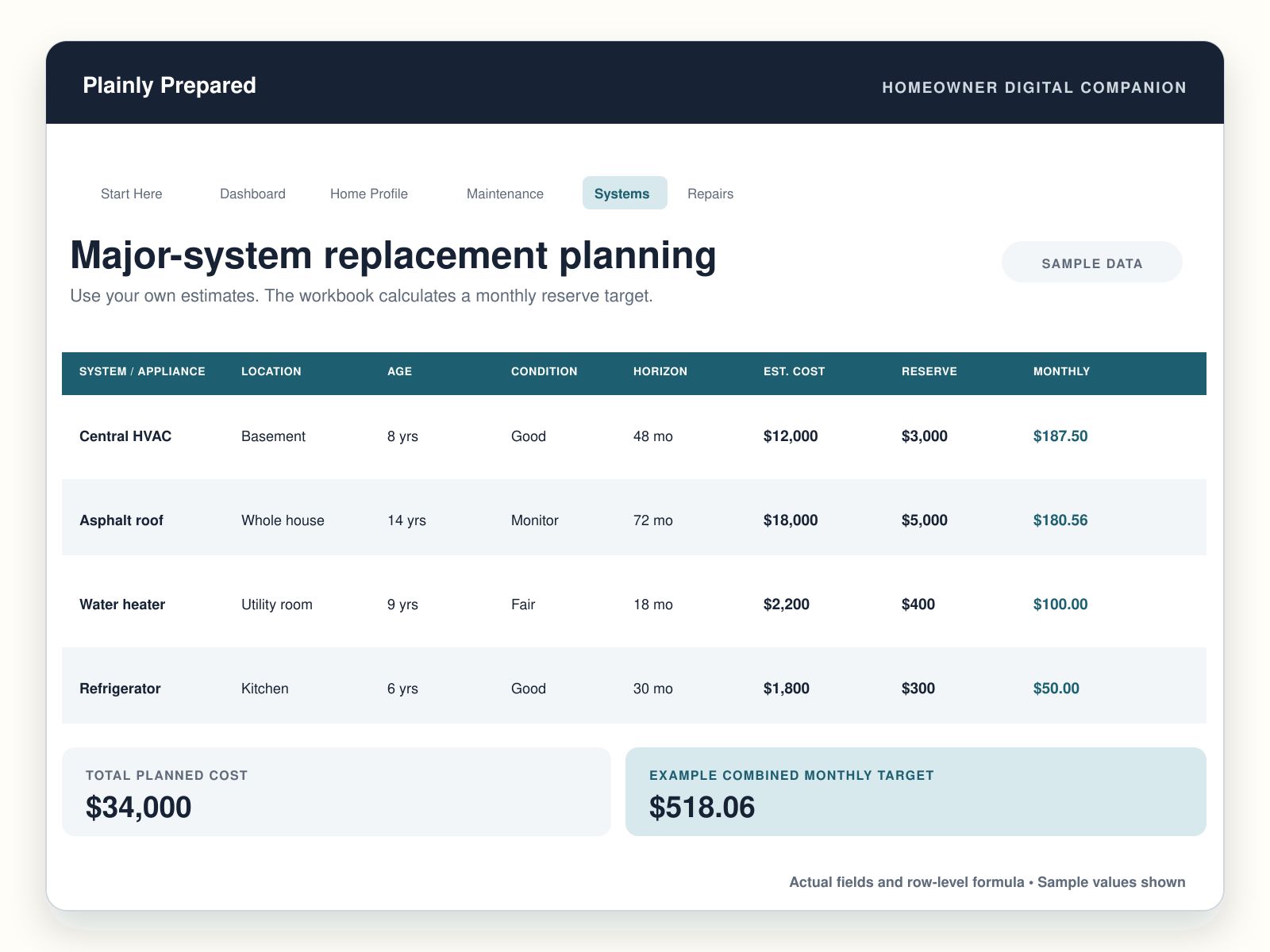
These previews use the real workbook structure and formulas. Example values and dates are clearly labeled so you can see how the system works without mistaking them for your own records.
WHAT YOU GET
24 pages covering the first 48 hours, first 30 days, system passports, seasonal reviews, repair history, documents and reserve planning.
Start with the essential home details and get to a useful working view without completing every field first.
See what needs attention now and what is coming next without searching through the full maintenance record.
Keep warranty dates, document locations and upcoming expirations visible alongside the home record.
Prepare maintenance reminders for use outside the workbook while preserving the full source record in one place.
Put large future costs in view before they become surprises. It is planning visibility, not a prediction of failure.
SET IT UP ONCE, THEN MAINTAIN THE RECORD
SOURCE-BACKED, NOT ONE-SIZE-FITS-ALL
The maintenance library uses guidance from sources including the U.S. Fire Administration, U.S. Consumer Product Safety Commission, ENERGY STAR, EPA, CDC and HUD Healthy Homes. Where a clear interval exists, the system uses it. Seasonal exterior reminders are identified as practical planning defaults and should be adjusted for climate, manufacturer instructions, local requirements and property condition.
FIRST-TIME HOMEOWNER?
The First 48 Hours and First 30 Days sections focus on shutoffs, panels, safety alarms, system ages, inspection follow-ups, manuals, warranties and the first maintenance baseline.
FAQ
You customize it by turning optional items on only when your home has that system or feature.
No. It organizes maintenance and home information. It does not inspect, diagnose defects or establish code compliance.
Follow the specific manufacturer instructions. Included intervals are starting reminders, not a substitute for equipment-specific guidance.
Yes. The manual works on its own. The digital workbook adds automatic due dates, status tracking and easier recordkeeping.
No. Replacement timing and cost entries are planning estimates that you control.
MAKE THE HOUSE VISIBLE
Get the printable manual and digital operating system together.
One-time purchase. Digital delivery after confirmed payment.
Explore Home & Property organizers and systems to compare responsibilities.
One-time digital purchase: $24.99. No subscription. See the included components and previews above. Start with the responsibility you need to manage now, then add records as you use the system.
For file access, missing files, defects or billing questions, contact support. Read the license and use rights and digital-product refund terms. No professional service is included.